Slack App
Elisa — your AI Delivery Partner, right inside Slack
Drive delivery momentum in every sprint. Easentic is an AI Delivery Management Platform that keeps agile teams focused on shipping, not coordinating. Elisa tracks sprint signals across your tools, surfaces what needs attention, and handles the delivery legwork — so your team can focus on building.
What Elisa does
Engineering is accelerating. Delivery coordination isn't.
Elisa closes the gap. It connects Slack with your project tools (Jira) and uses Google Vertex AI to reason over delivery signals — answering questions, flagging risk, and keeping work moving.
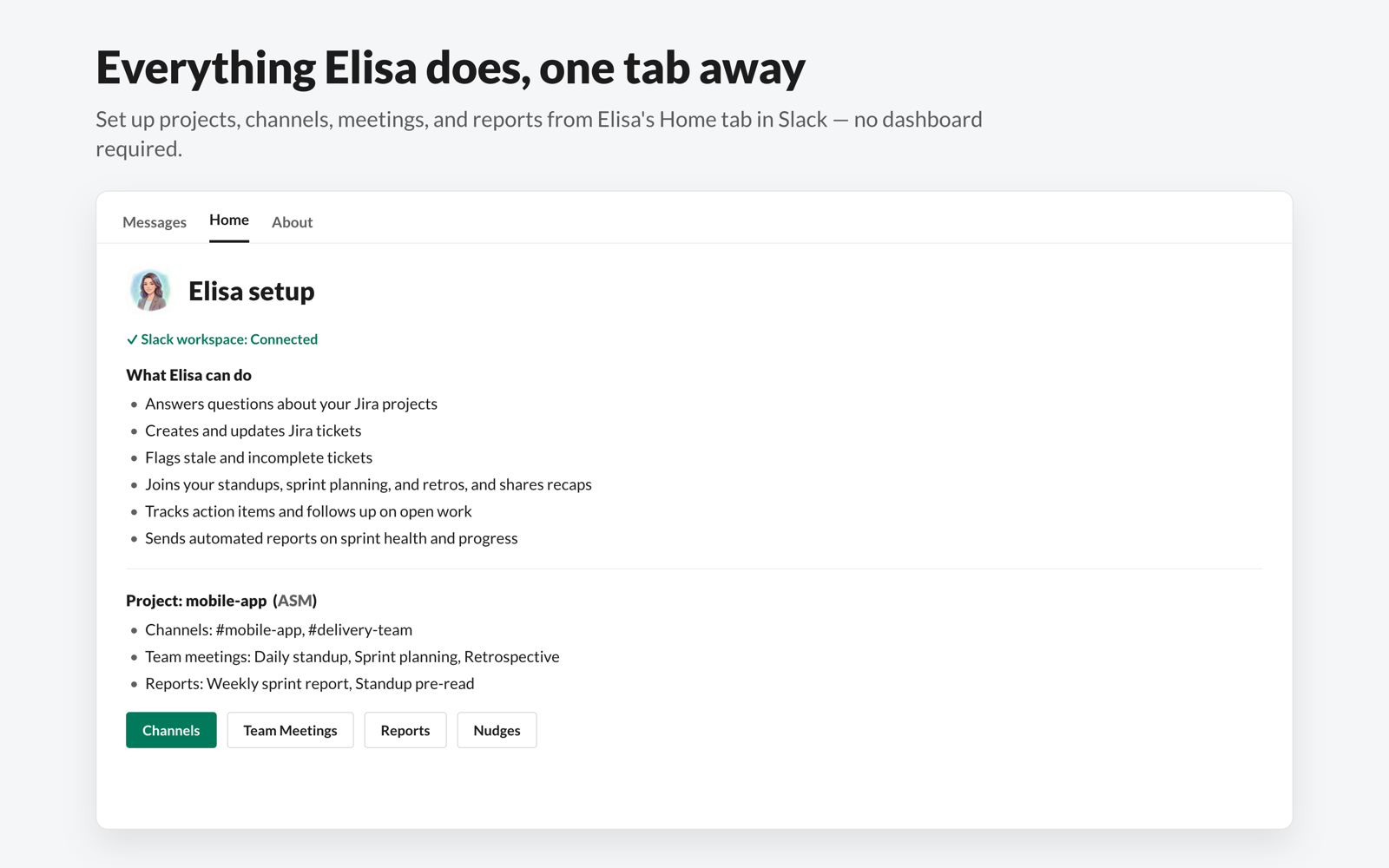
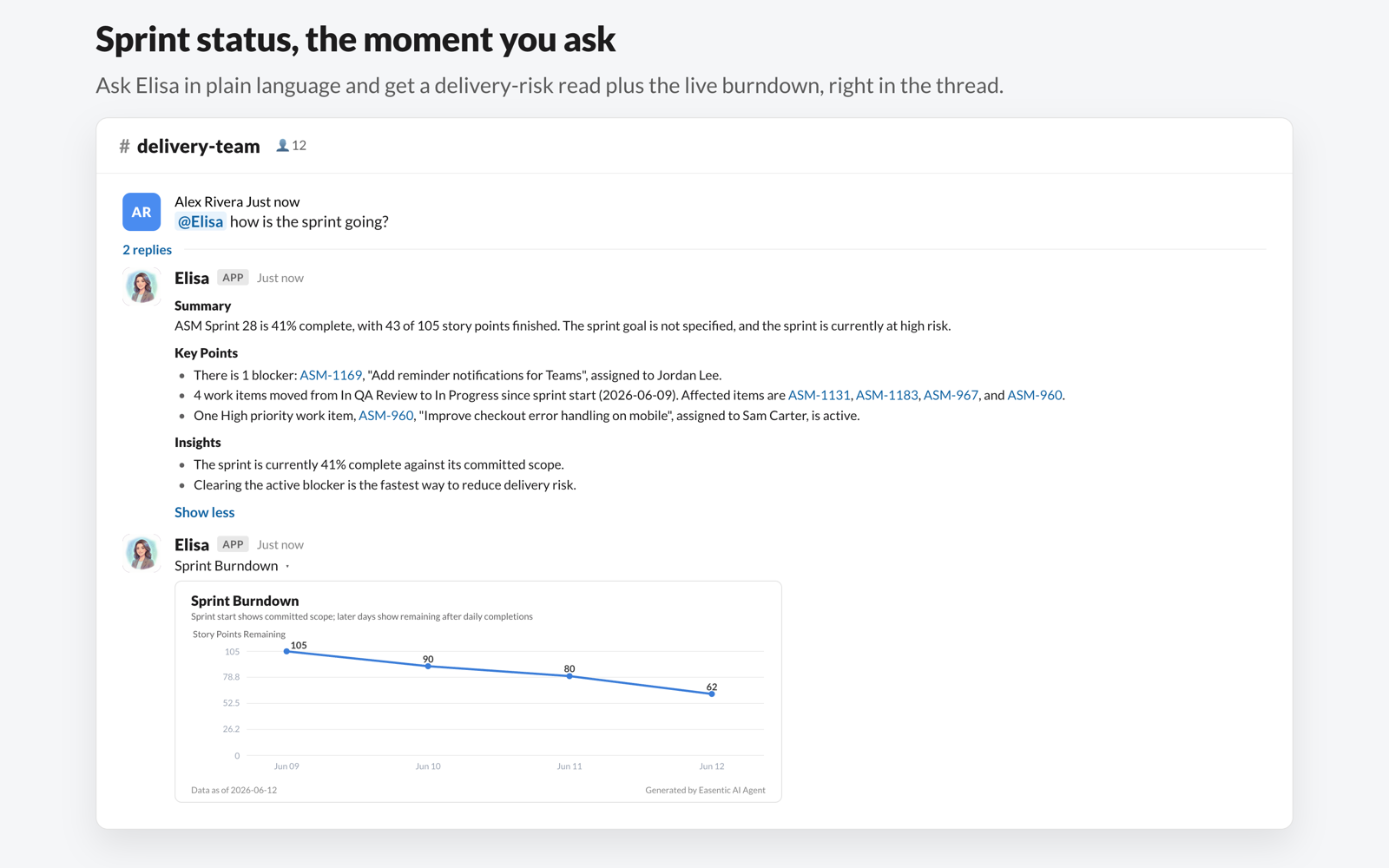
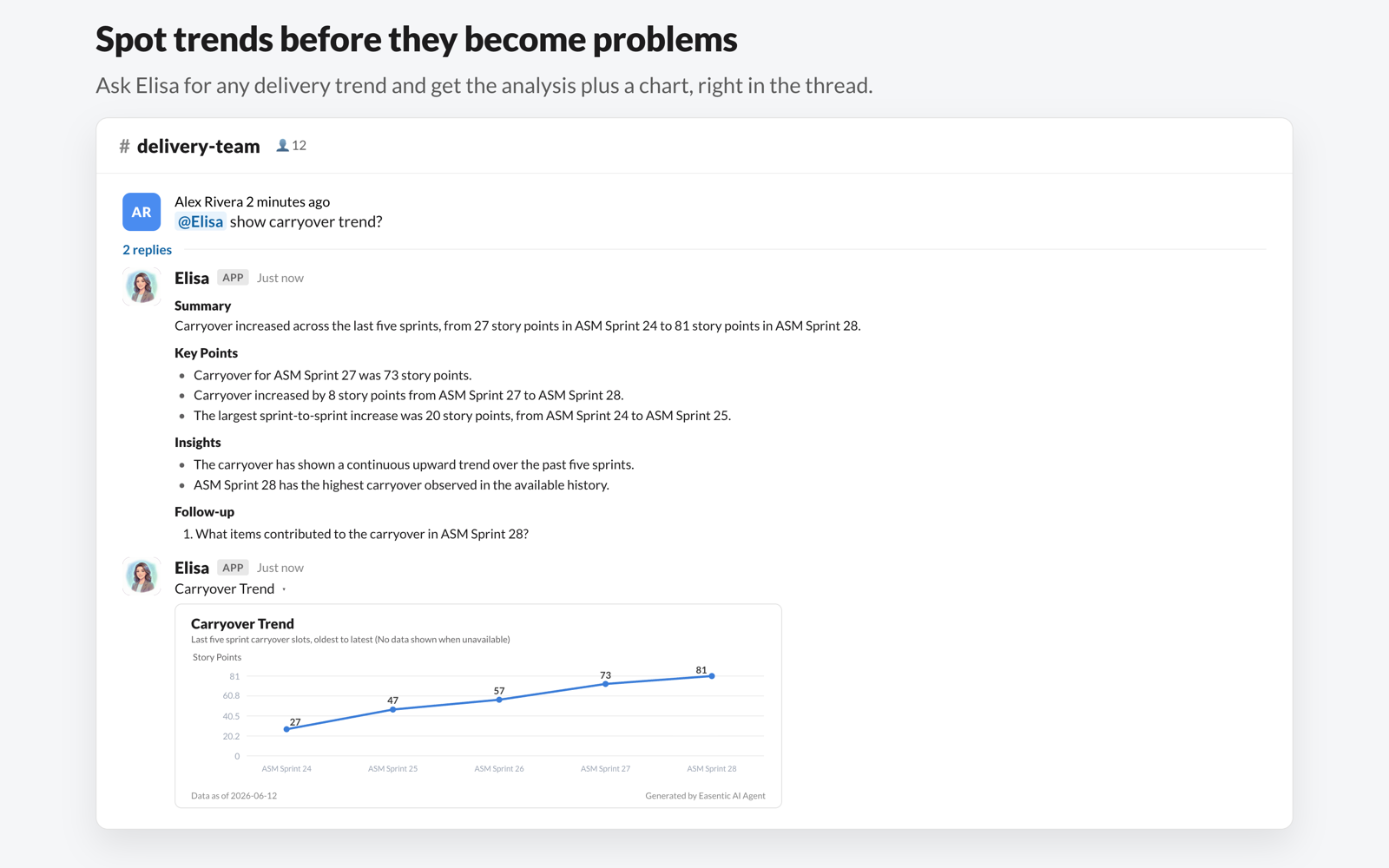
Answers questions about your sprint and Jira projects in plain language
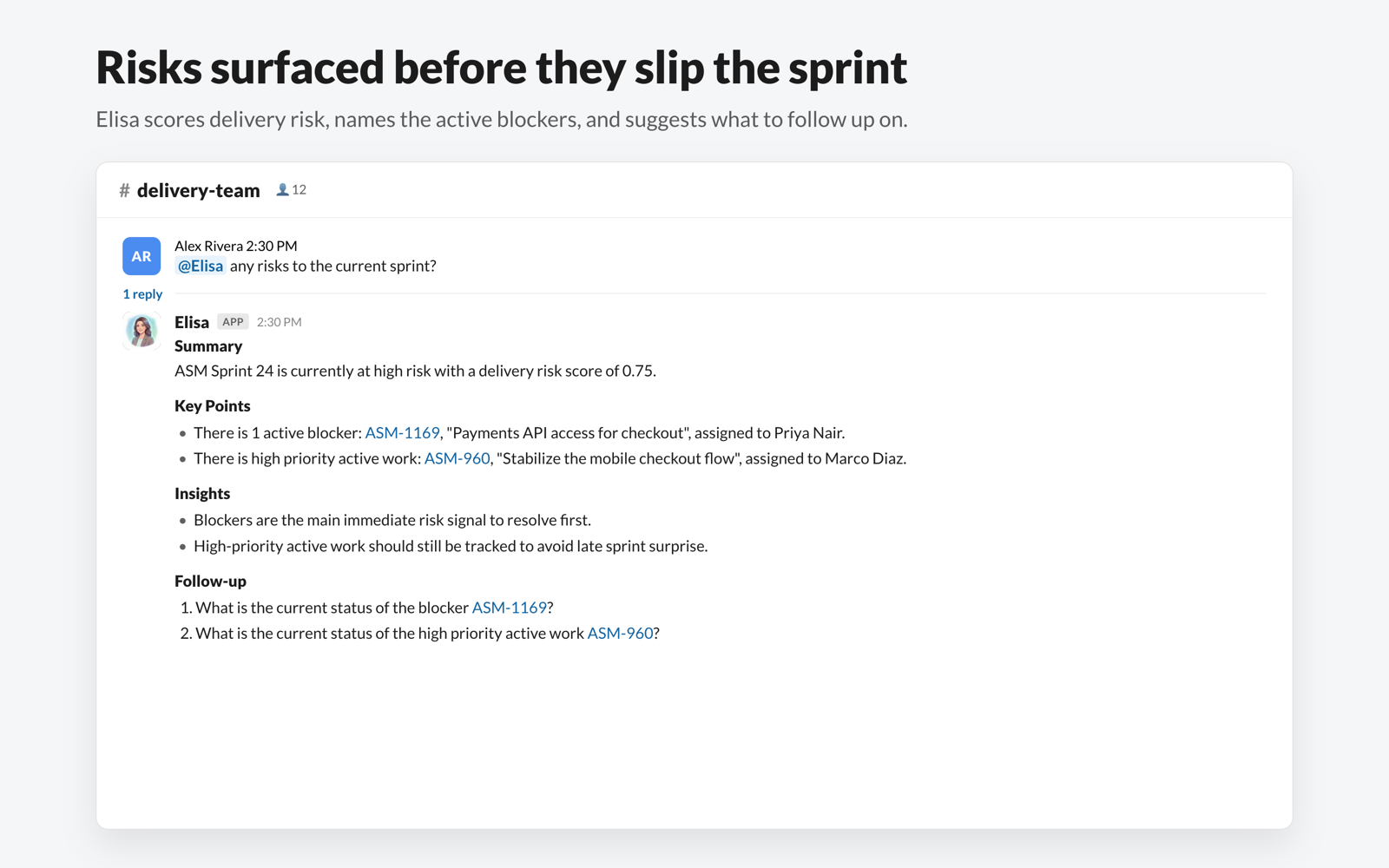
Creates and updates tickets; flags stale or incomplete work
Joins standups, sprint planning, and retros and shares recaps
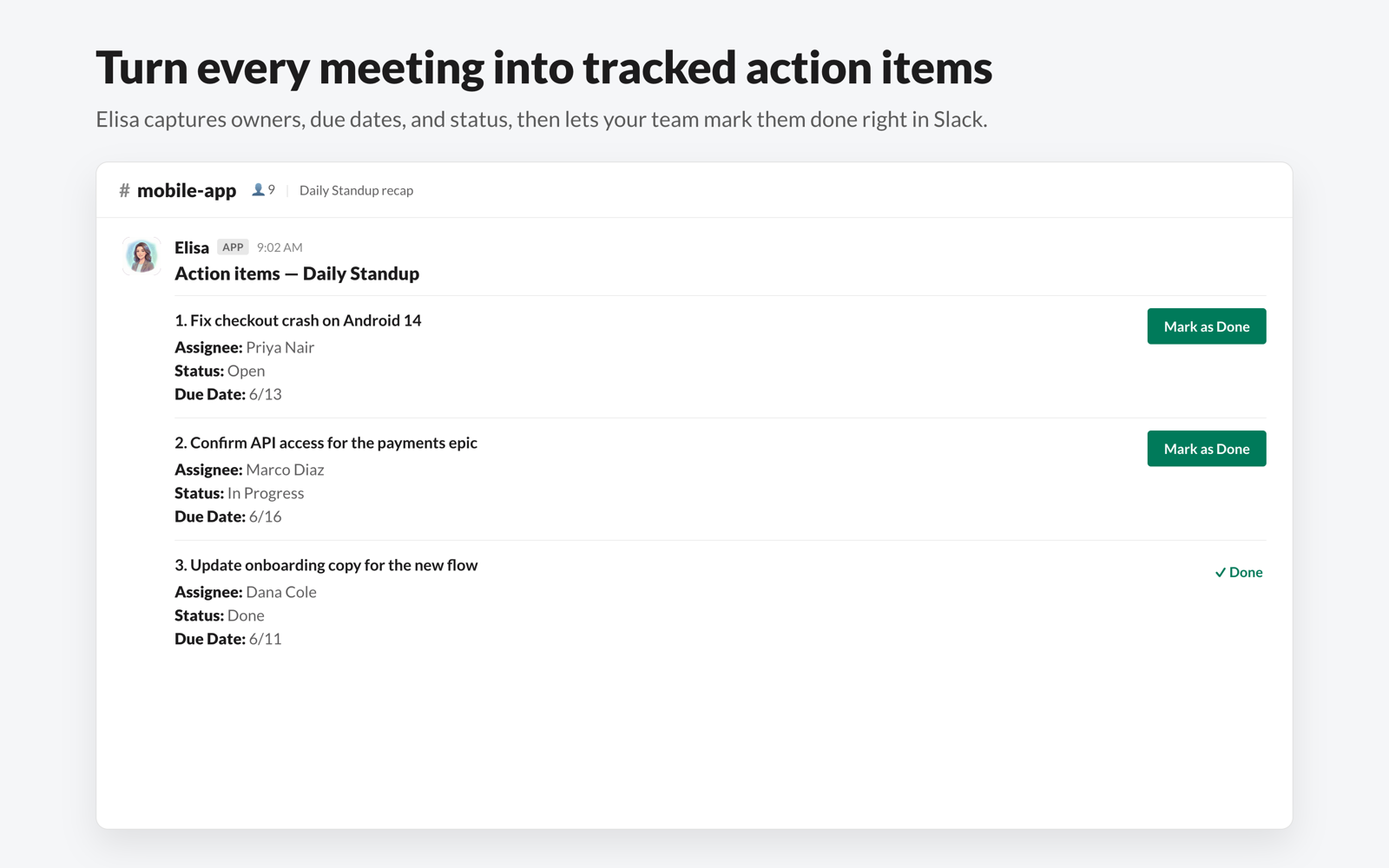
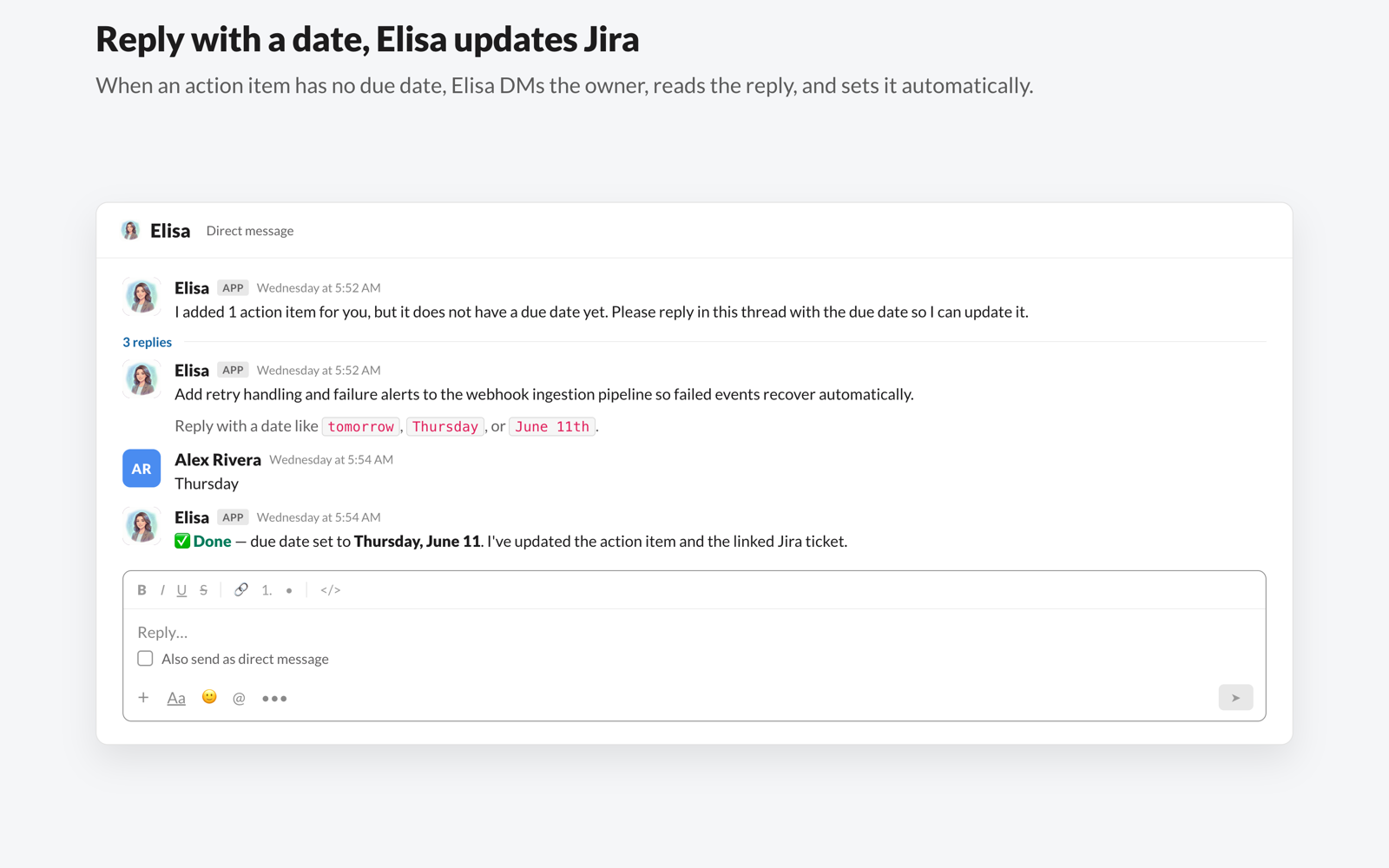
Tracks action items and follows up on open work
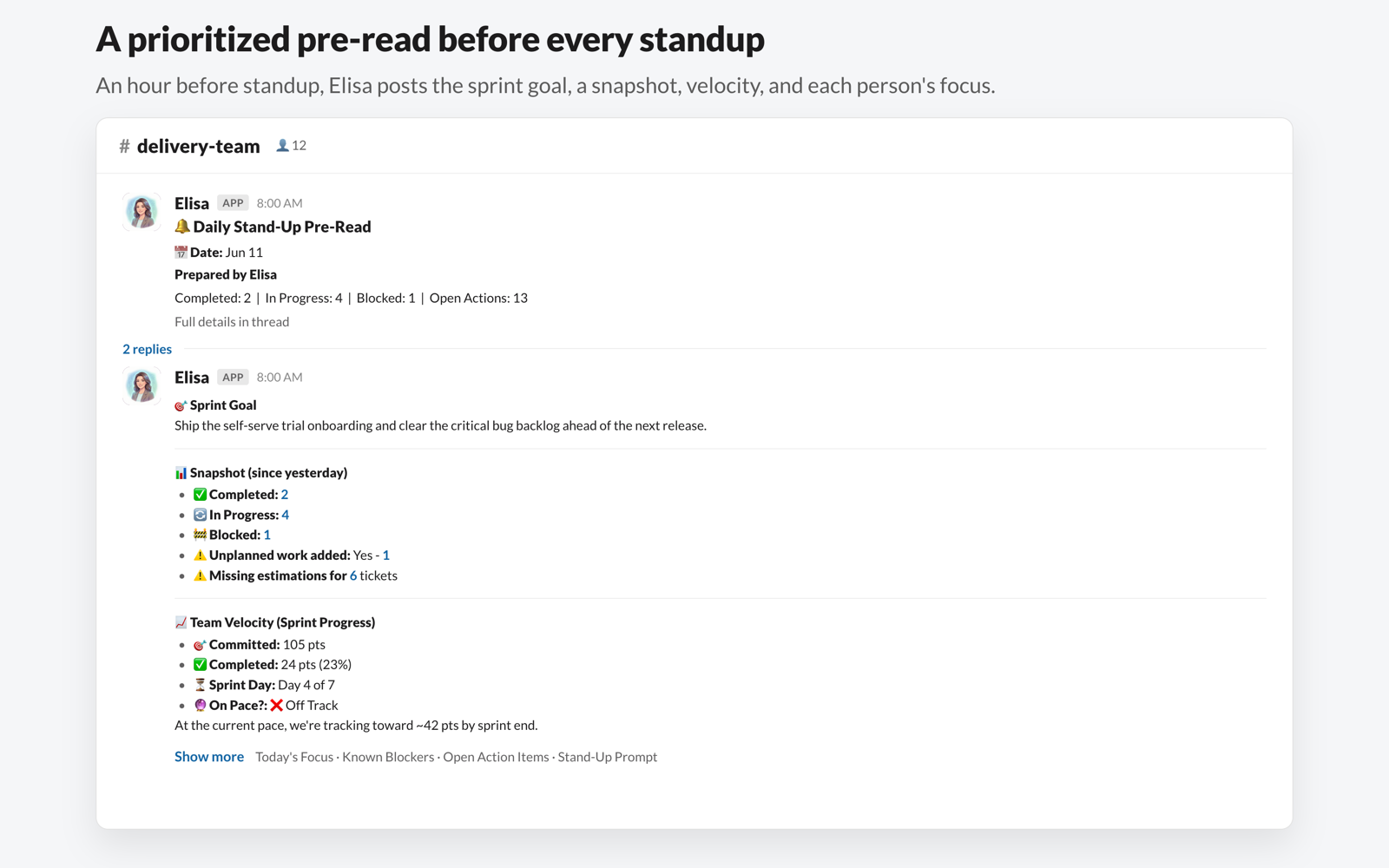
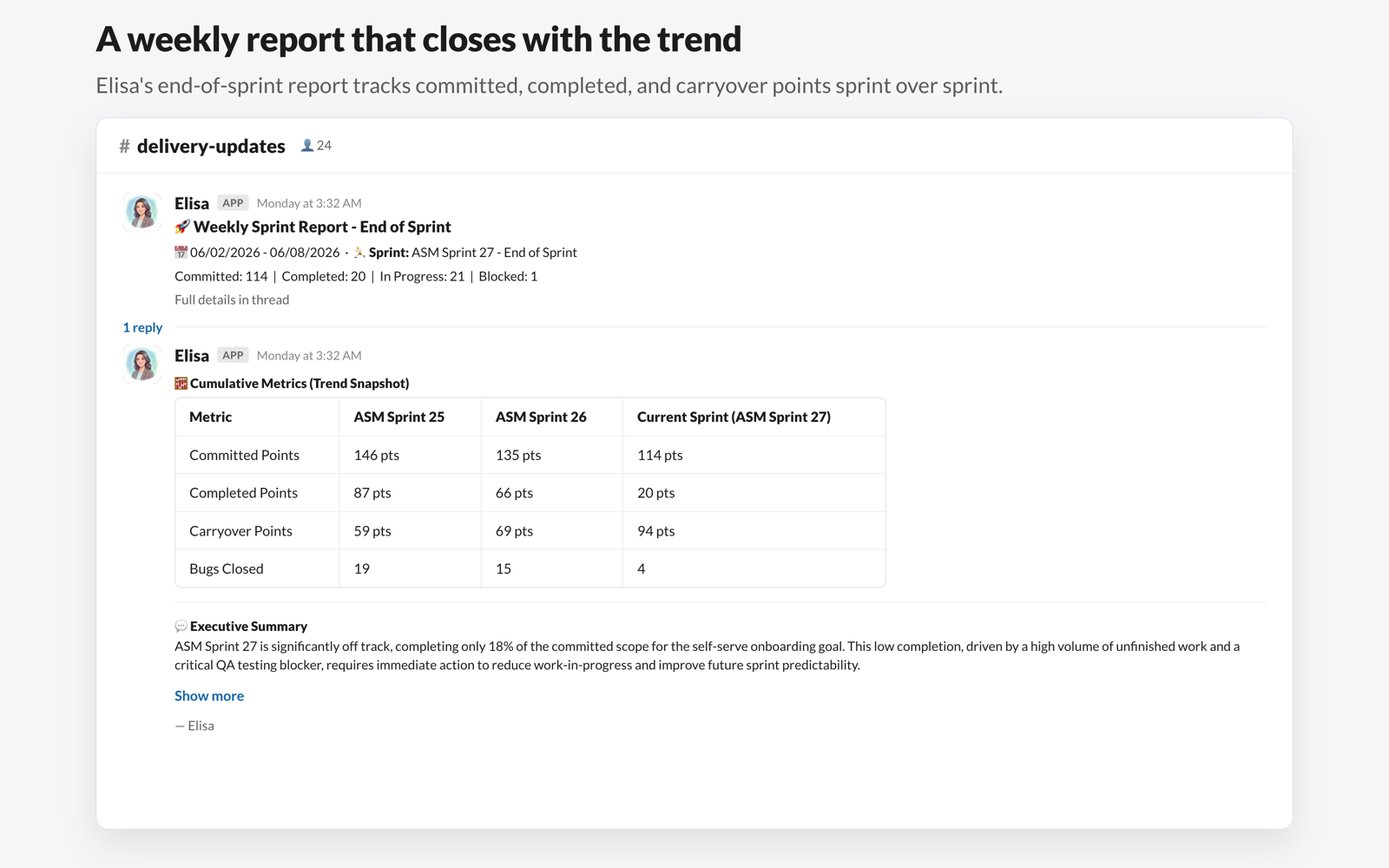
Sends automated reports on sprint health and progress
See it in Slack
The delivery work — done where your team already talks
How to install
Three steps to your first answer
- 1
Click Add to Slack and approve the requested permissions.
- 2
You'll be redirected to confirm your install and connect your project tool.
- 3
Invite Elisa to a channel and ask your first question.

Used to read messages in channels you invite Elisa to, post replies and DMs, and identify users so Elisa can attribute work and actions correctly.
app_mentions:readchannels:readchannels:historygroups:readgroups:historychat:writechat:write.customizeim:writeim:historyteam:readusers:readusers:read.emailfiles:writeAfter you install
From install to first answer in minutes
- Elisa DMs you a welcome message with a Connect Jira button.
- Pick the channel for your team and connect your project (Jira).
- Invite Elisa to meetings and start asking: how is the sprint going? Any risks? Show carryover trend.
- Installs land on a confirmation page that shows your workspace and next steps.
FAQ
Questions, answered
Ready when you are
Add Elisa to Slack and ship your next sprint stronger.
By installing, you agree to our Terms and Privacy Policy.